
KosherOS · powered by Fedora
A family computer that is filtered, locked down, and still a real computer.
A Linux distribution for frum families. The filter runs on the machine itself, so it works in every browser and every app, with no account and no subscription. A parent is in charge, and nobody has root — not even the parent.
What it is Releases Source on GitHub
Pre-alpha. Built and covered by tests; not yet lived with on a family's machine.
The idea
Most kosher filters are a service you subscribe to and a browser you are told to use. KosherOS is the operating system.
Complete out of the box
A parent installs it, puts each person in a group of their own naming — or leaves the strict default — and is finished. The category lists, the word lists and the picture filter ship whole. Adding a site or a word is possible; it is never homework.
Local first
Every decision is made on the device, on modest hardware, with no account to create and nothing to renew. What the family reads never leaves the house.
Locked, not hidden
No root, a read-only system, atomic signed updates. One small daemon is the only privileged surface, and a second guardian password — the other spouse’s — is needed to weaken anything.
Groups the family names
Tune one account. Name it. Put the others in.
Nothing ready-made ships — Child means something different in every home. A group carries the web, the pictures, the language, YouTube and the apps together; change it and every account in it changes. These four are examples a family might make.
S
yosef
Kids
Filtered internet
- Web
- Pictures
- Language
- YouTube
- Apps
School age, with room to grow.
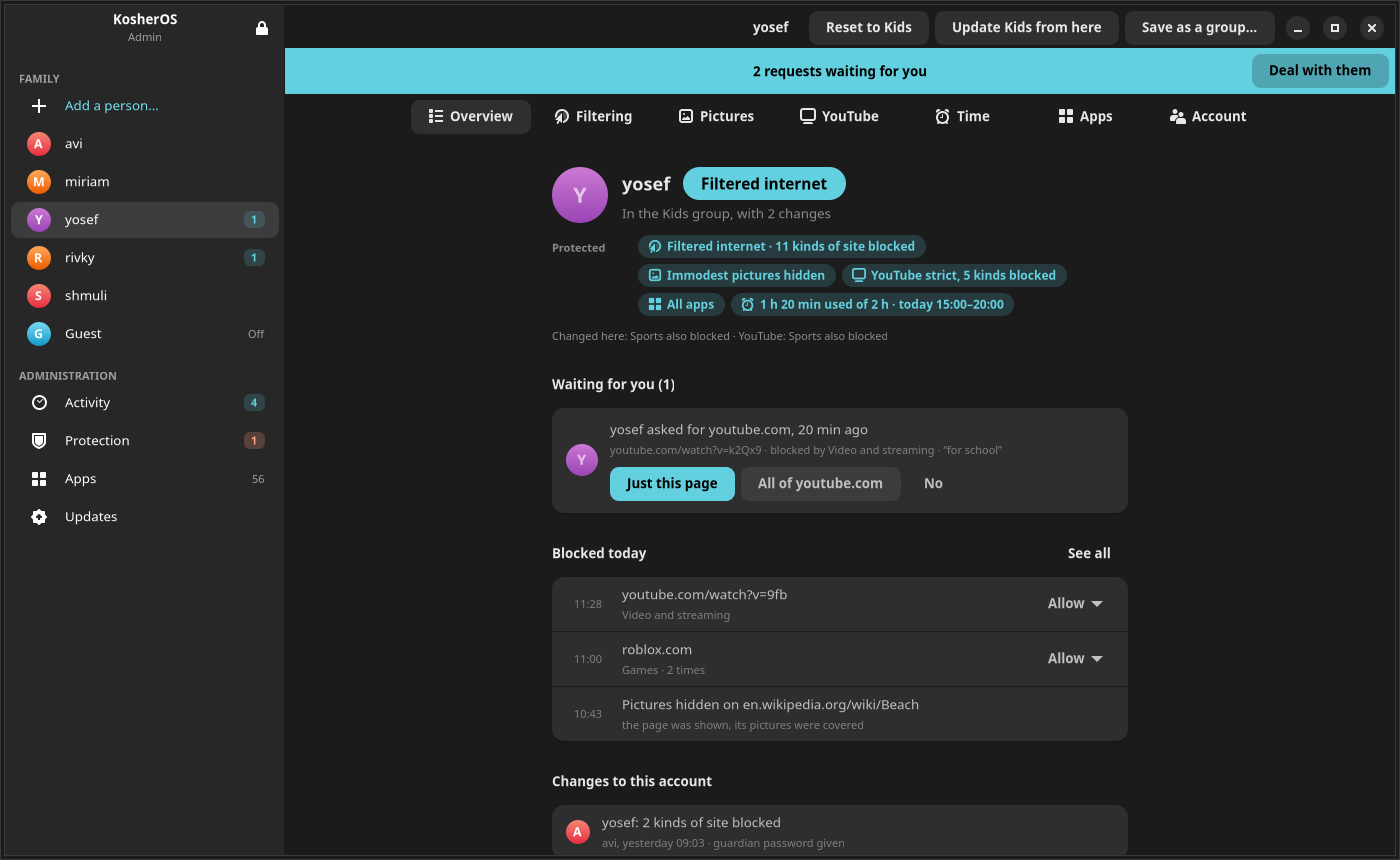
Blue is something the filter holds. Amber is something it leaves open. The admin app uses the same two colours, so a glance is enough.
What the parent sees
One password. Then nothing asks again.
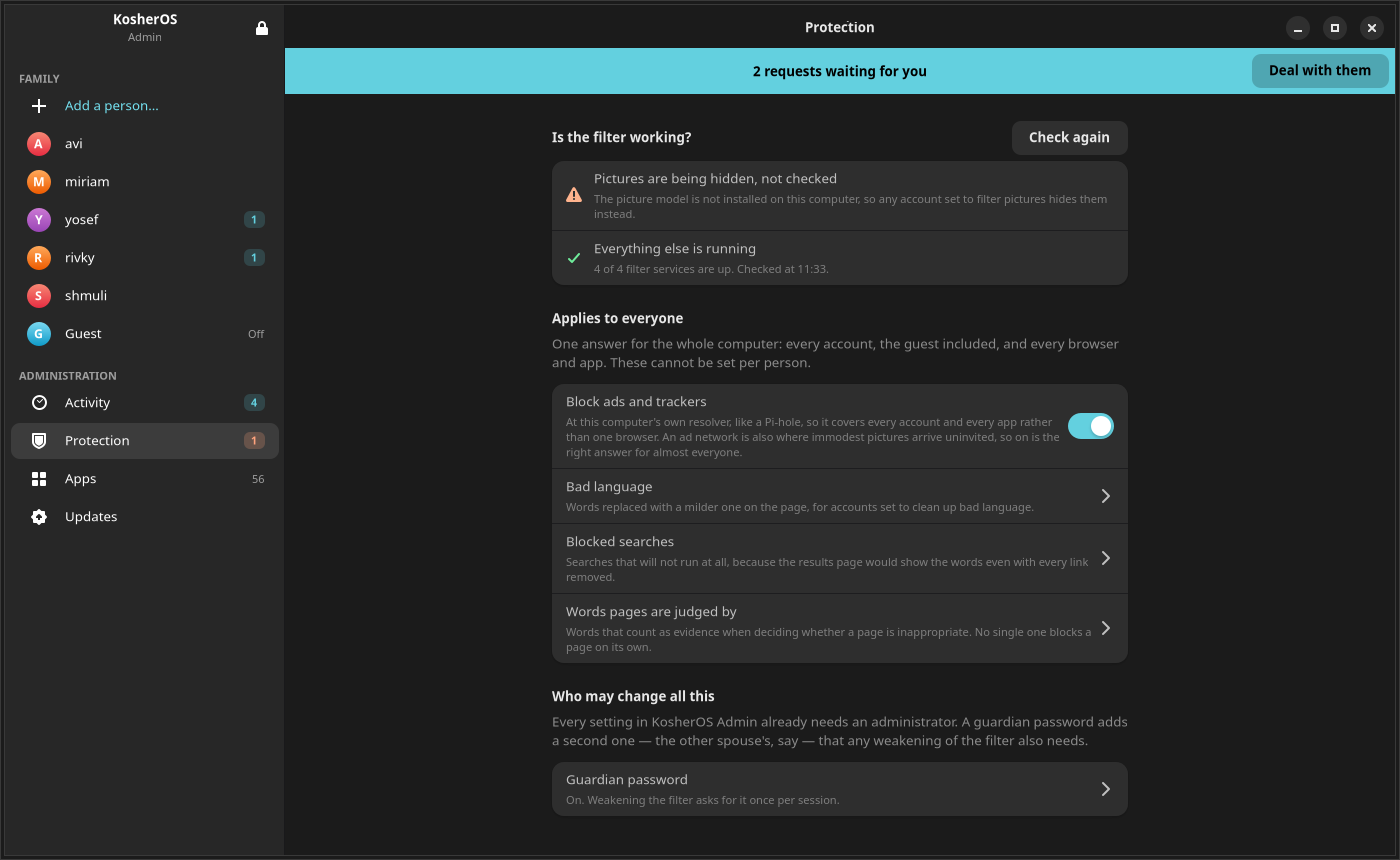
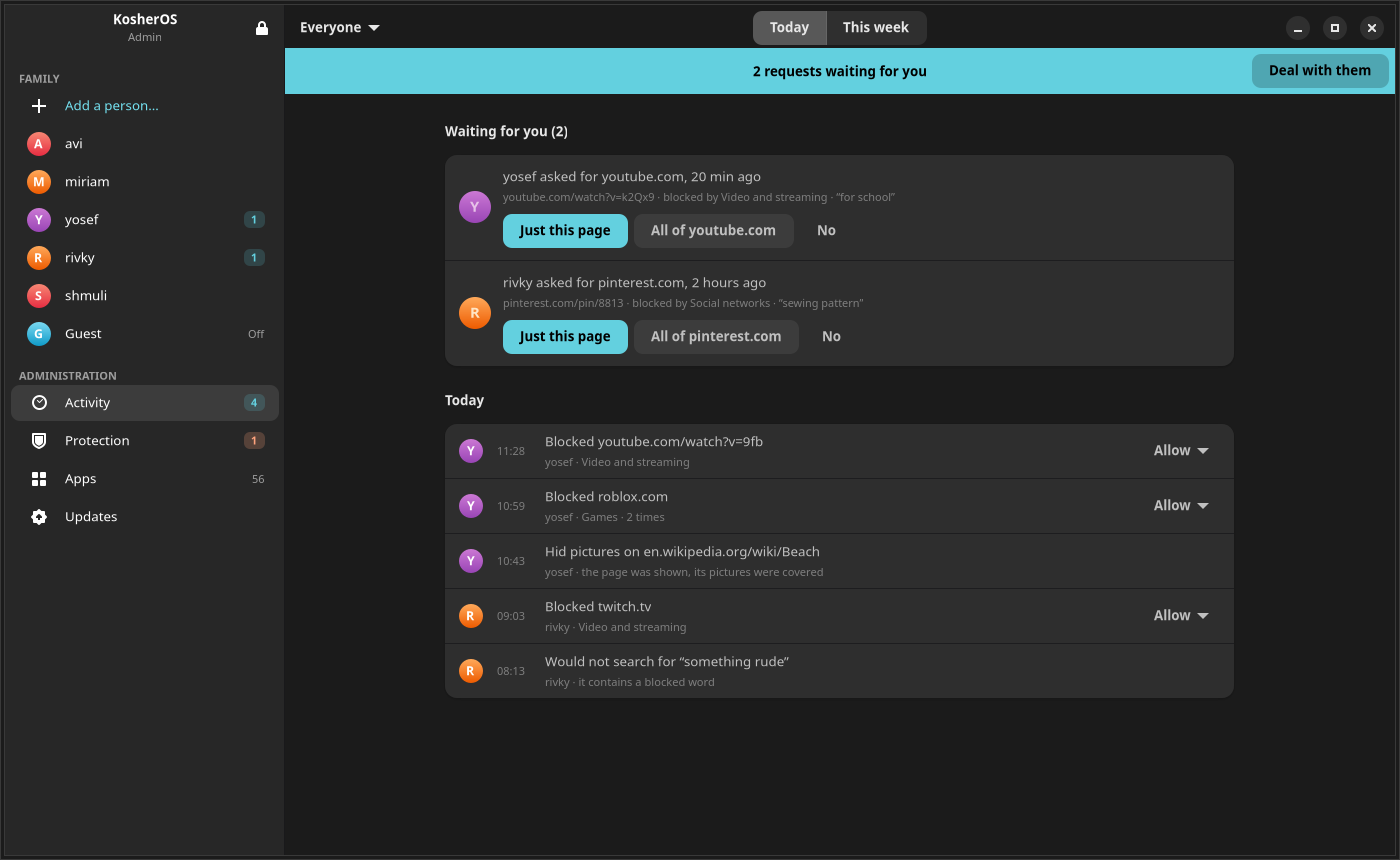
The admin app opens on the family: a page for each person, what applies to them, and what happened today. Requests come first — when somebody asks for a blocked page, a blue banner says so and one click answers it. Trouble is admitted rather than hidden: if picture checking has backed off, Protection wears an amber count and its page says so in the same words you would.
שמירת עיניים · shmiras einayim
It reads the page, not just the address.
In the filtered modes the machine inspects the connection locally, which is the difference between a blocklist and a filter.
- Blocks a page rather than a whole site, so one bad corner does not cost the rest of it.
- Judges a page nobody has ever catalogued, by what is written on it.
- Covers the figure in a picture instead of blanking the site around it.
- Looks inside a video and an animation a few frames at a time, not only at its cover.
- Replaces bad language on a page that is otherwise fine to read.
- Holds YouTube to its limits inside the app, not on top of it.
- Blocks ads and trackers at the resolver for every account, the way a Pi-hole does.
Around it
A store, a search engine and an honest window.
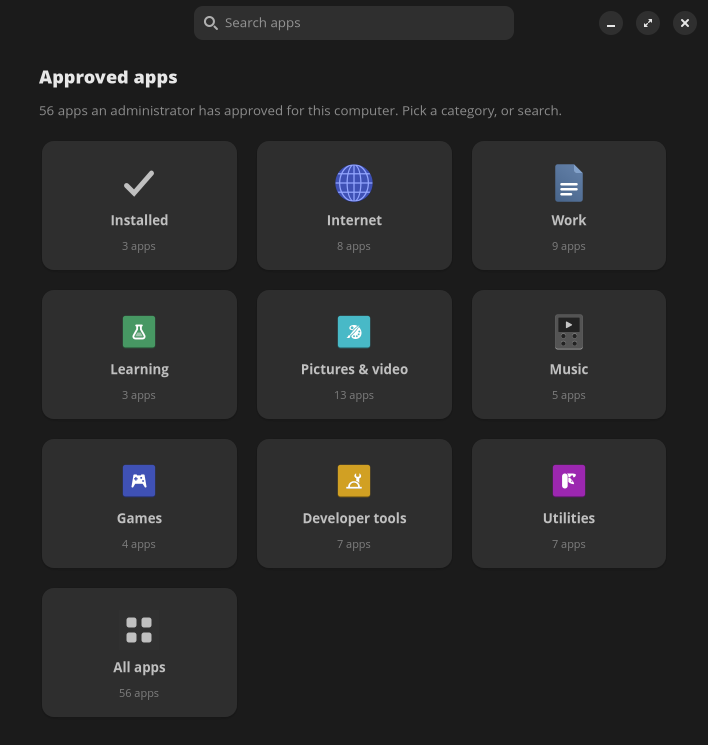
Apps from an allowlist. The KosherOS Store installs from upstream Flathub, limited to what a parent has approved, arranged the way any app store is. A guest account can be switched on, given its own kind of internet, and wiped at sign-out.
Search that respects the filter. A local SearXNG behind a KosherOS front end filters results under the same policy as the traffic. A filtered user stops clicking into block pages, and a whitelist user can finally see what the whitelist contains.
A window for the person being filtered. My Filter is a read-only app on every account that says, in plain language, what applies to you. A child who can read the rules is likelier to accept them than one who only ever meets a block page.
Trying it
Three commands and a wizard.
-
Build the image
KosherOS is a Containerfile. From a clone, inside the devenv shell:
just build -
Boot a throwaway copy
Make a disk from it and start it, without touching anything of yours.
just vm just try -
Set up the family
The first boot runs the setup wizard: an account per person, each in a group of the family's naming or on the strict default. To install on real hardware instead,
just release-isobuilds an installer that follows the stable channel and updates itself.
Only want to look at the apps? just admin-demo
and just store-demo open them against a pretend daemon with a sample family,
with nothing installed and nothing changed.
Where it stands
What is proven, and what is not.
Built and covered by tests
Over twelve hundred unit tests, widget tests that build the real GTK screens, and live checks that exercise the firewall, the resolver and the proxy inside the built image on every push.
Not yet proven
Time on a booted machine in a home. Several recent pieces have been seen rendering but not lived with, and the update-rollback path has never had to fire for real. Read every claim here as built and tested, not proven in a home.